Automatic drive catalogs for production and post

Cloud Tree

Quickly see what is on any drive and share it with your team.

Cloud Tree quietly scans external drives in the background and turns them into clean, searchable catalogs you can share with production, post-production, or collaborators.

Start with a free plan. No credit card required.

https://drive.kevinzanit.com/d/your-catalog-demo-603acf
Tap the preview to open the live catalog.
1. Keep working without interruption

Quiet background scanning

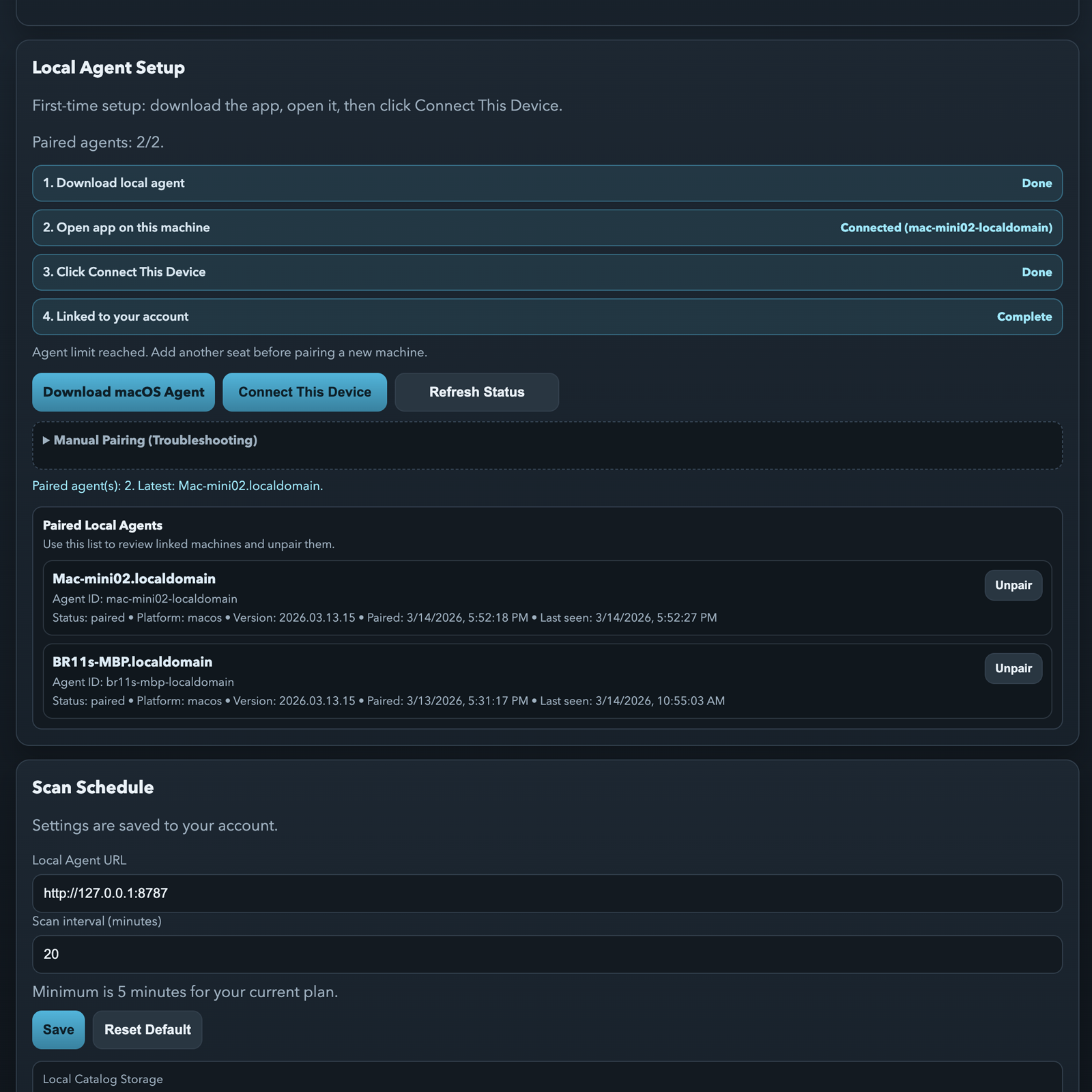
The Cloud Tree Agent is a small app that runs on your computer and watches the drives you choose. It updates catalogs automatically without getting in the way of your offload work.

Cloud Tree local agent setup and status view.
2. Share one link, not dozens of files

Send a clean drive catalog

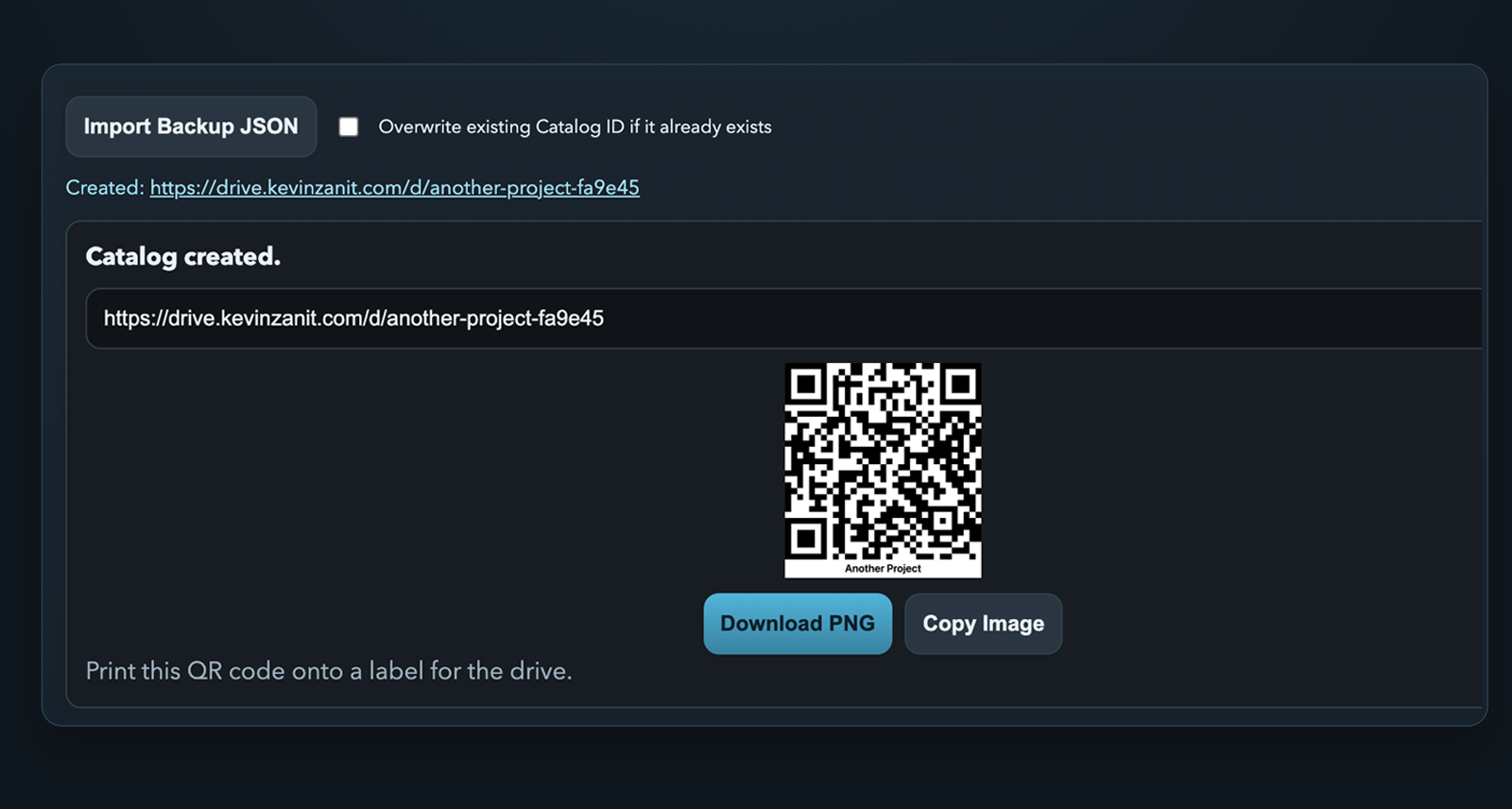
Send one catalog link instead of screenshots, spreadsheets, or manual file lists. QR code labels are ready to print for drive labels and fast handoffs.

Cloud Tree generated QR label and public catalog URL.
3. Find files in seconds

Search by name or browse folders

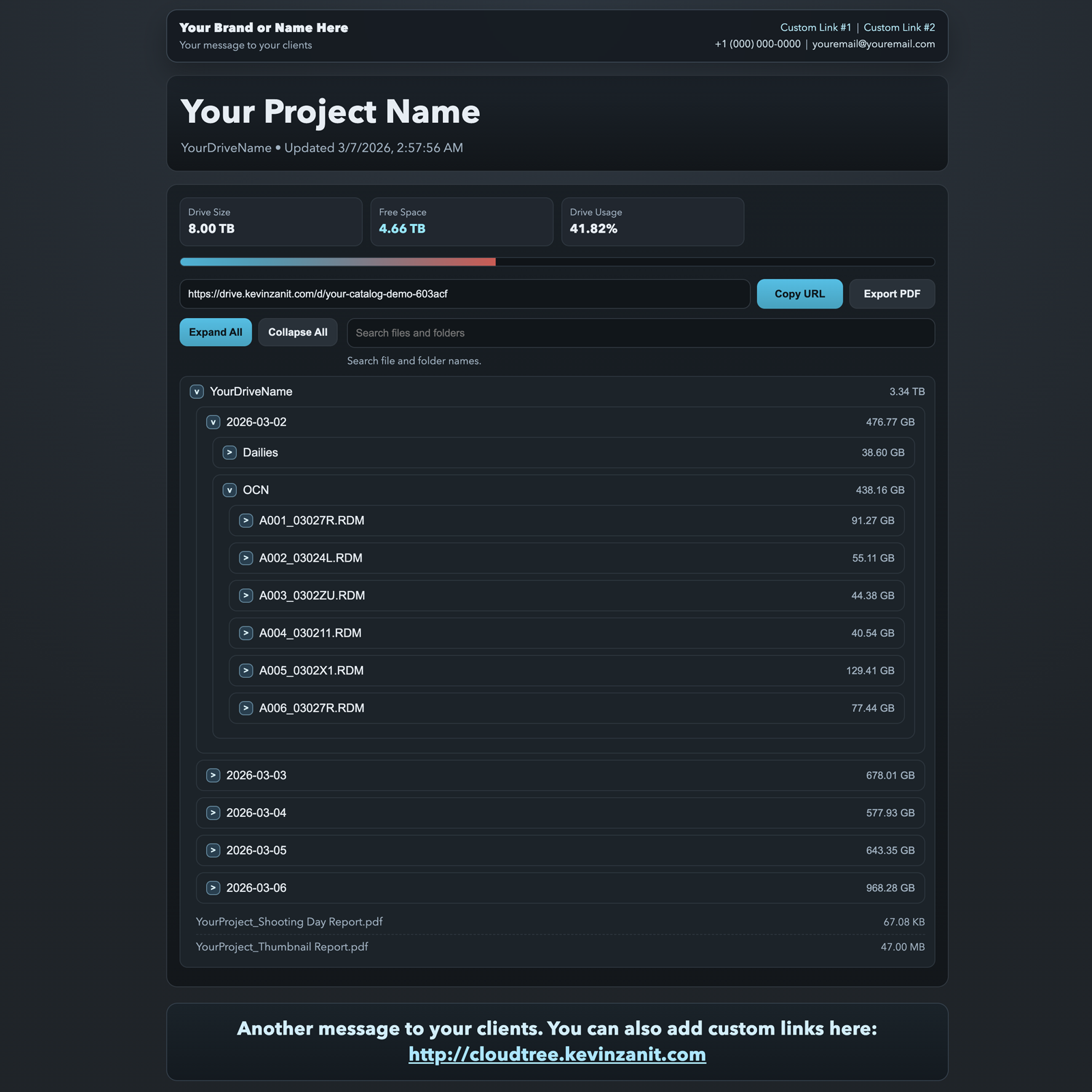
Open the catalog on a laptop or phone, search by name, and understand the drive quickly. No special software required, and fewer people need to ask what is on a drive.

Cloud Tree catalog with search, drive metrics, and folder tree.

Why Cloud Tree?

See what is on any drive without manual reports

Manually listing files, sending screenshots, or digging through external drives wastes time and slows handoffs. Cloud Tree gives every drive a live catalog page you can open in a browser and share in seconds.

Instead of emailing file lists or asking someone to mount a drive, you send one simple link. That link gives production, post-production, and collaborators a clear view of what is there.

  • No more manual reports or spreadsheet exports.
  • Anyone with the link can browse the drive without mounting it.
  • Production and post-production get a clearer handoff.
  • Password protection is available when you need it.
Cloud Tree catalog browser with drive metrics, search, and folder tree.
Real Cloud Tree catalog view showing searchable folder structure, drive health, and the new search workflow.
Open Live Catalog

How Cloud Tree works

Three simple steps

Install the Cloud Tree Agent, a small app that runs on your computer and watches the drives you choose. Connect external drives, let the agent scan quietly in the background, then view and share live catalogs from the dashboard.

Scan

Install the Cloud Tree Agent

A lightweight app runs on your computer and keeps watch on the drives you choose.

Manage

See every drive in one dashboard

Track scan status, ownership, and public links in one place instead of across multiple machines.

Share

Share one live catalog link

Send one URL and QR code label instead of passing around reports, screenshots, or spreadsheets.

Sync

Stay current automatically

Catalogs update in the background whenever the drive changes and the agent can publish.

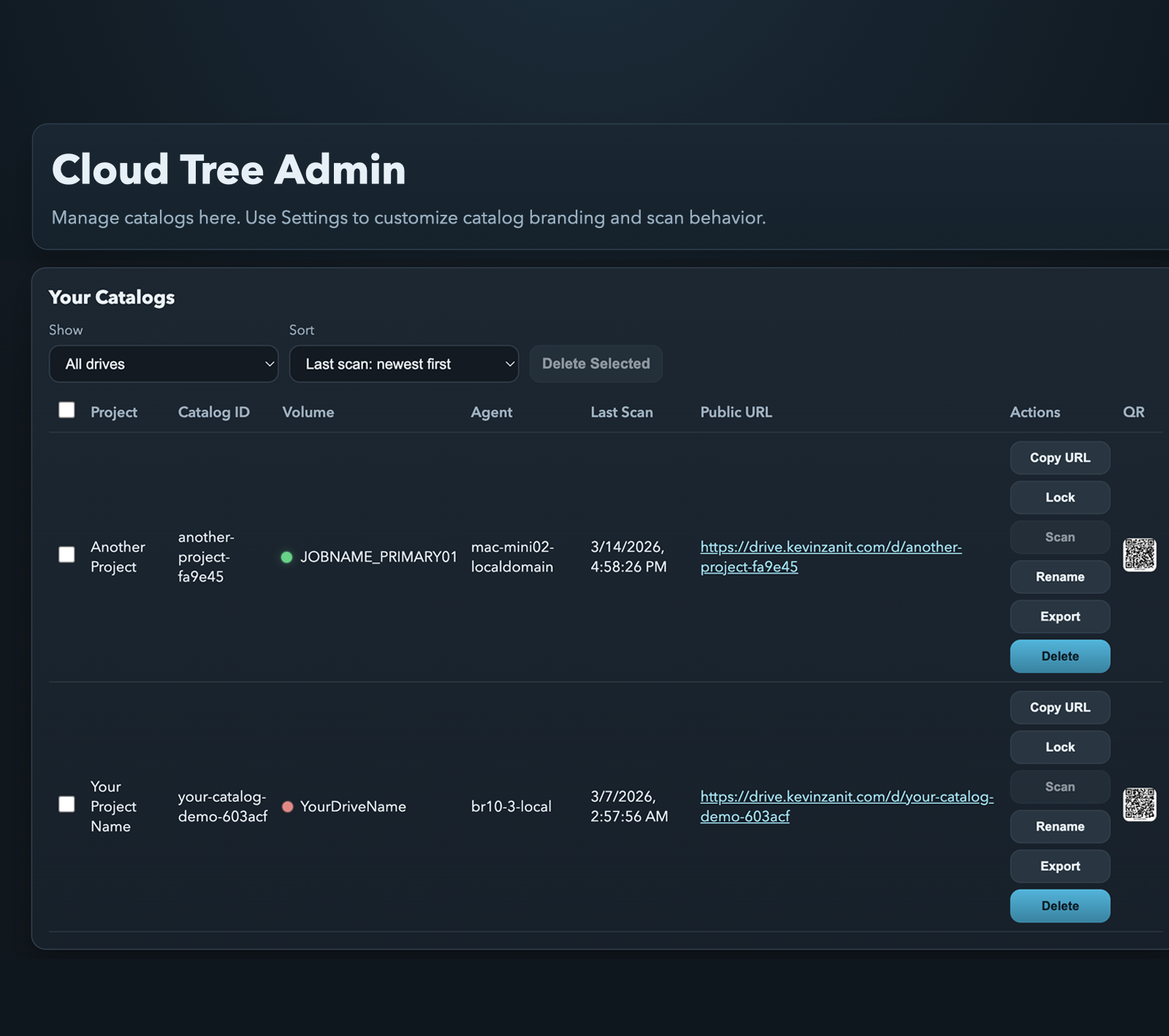
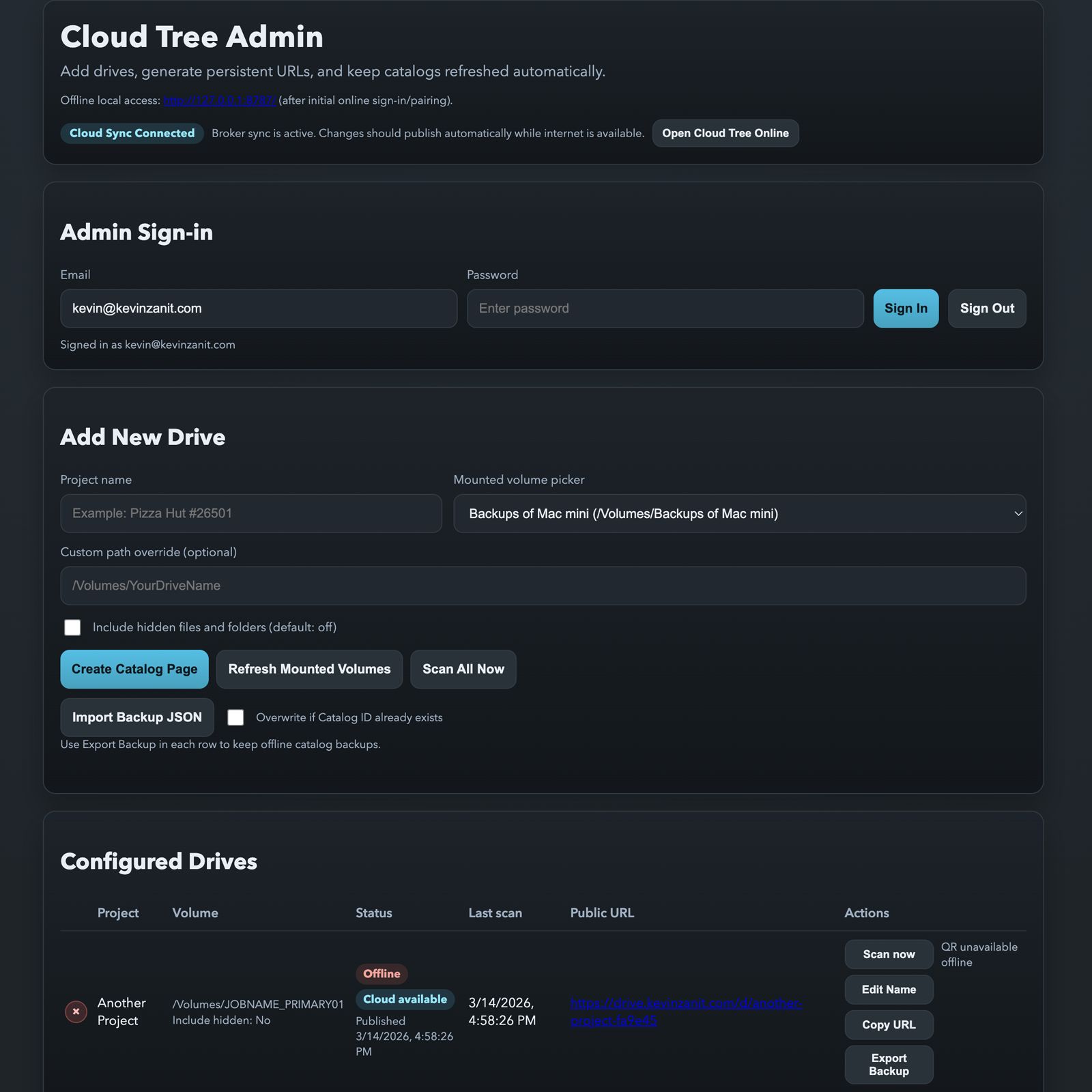
Cloud Tree admin dashboard showing catalog list, agent ownership, scan status, and public URLs.
Admin catalog list with live scan state, agent ownership, QR labels, and shareable URLs.

Everything useful is already on the screen

The dashboard shows which drives are online, which computer owns them, when they last scanned, and where the shareable link lives.

Multiple systems. One control surface.
Connect multiple agents across different machines to one Cloud Tree account. Scan and catalog any mounted drive from anywhere, then see everything in one place.

This keeps the workflow simple for technical teams and accessible for everyone else. Catalog files can also be imported or exported as easy-to-read JSON for backup workflows.
Clean catalogs anyone can use

Easy for anyone to understand

Browse folders, search by file name, and understand the contents of a drive in seconds. Cloud Tree is built for technical users and for teammates who just need a quick answer.

No special software required. Just open the link and start browsing.

Cloud Tree catalog view with file search and expandable folder tree.
Catalog pages are designed to be understandable immediately, even for people who never handle the drive directly.
View Example Catalog

Share and protect

Share catalog pages securely

Catalogs can be public or locked with a password. Anyone with the link can view them, and you stay in control of who gets access.

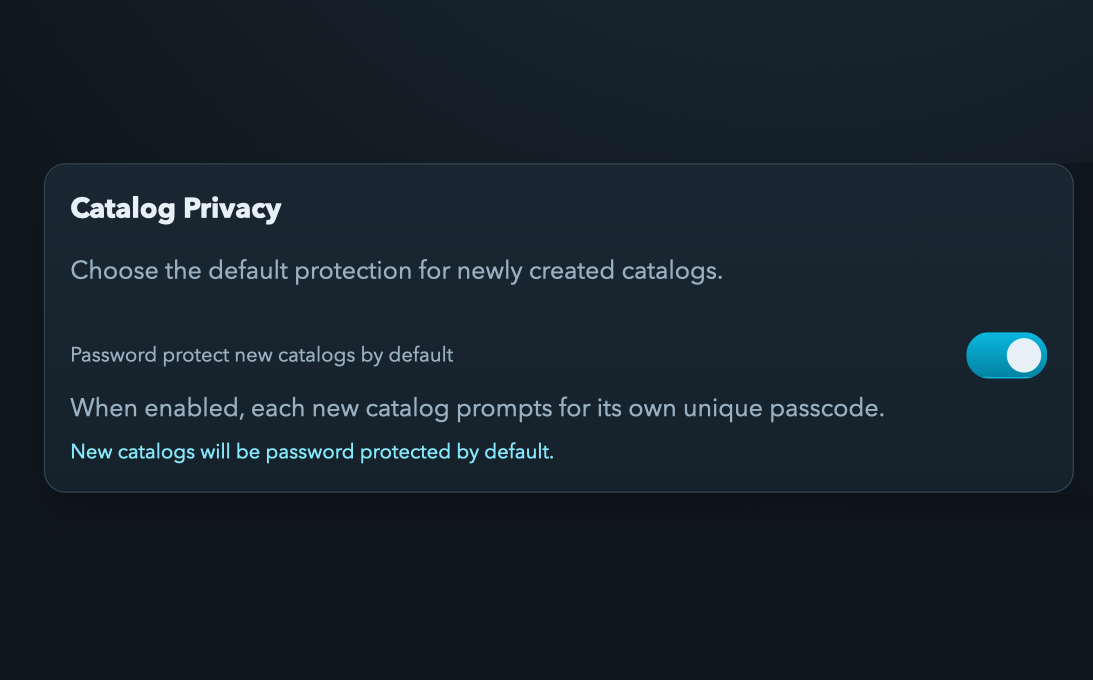
Cloud Tree settings screen showing password protection enabled for new catalogs.
Turn on password protection by default when you need more control over shared catalogs.
Cloud Tree QR drive label preview with catalog link and print controls.
Print QR code labels for fast access on set, in archive, or during a handoff to post-production.

Reliable in the field

Works even when you are offline

Cloud Tree keeps scanning even when your internet connection drops. When the connection comes back, changes sync automatically so the catalog stays current.

Cloud Tree agent status view showing offline scan states and queued sync changes.
Agents continue working offline and publish queued changes when connectivity returns.

Branding and identity

Make shared catalogs feel like part of your workflow

Add your own branding, message, website link, support contact, and footer copy so every shared catalog looks like part of your workflow. Premium users can also publish under their own domain for a cleaner client-facing experience.

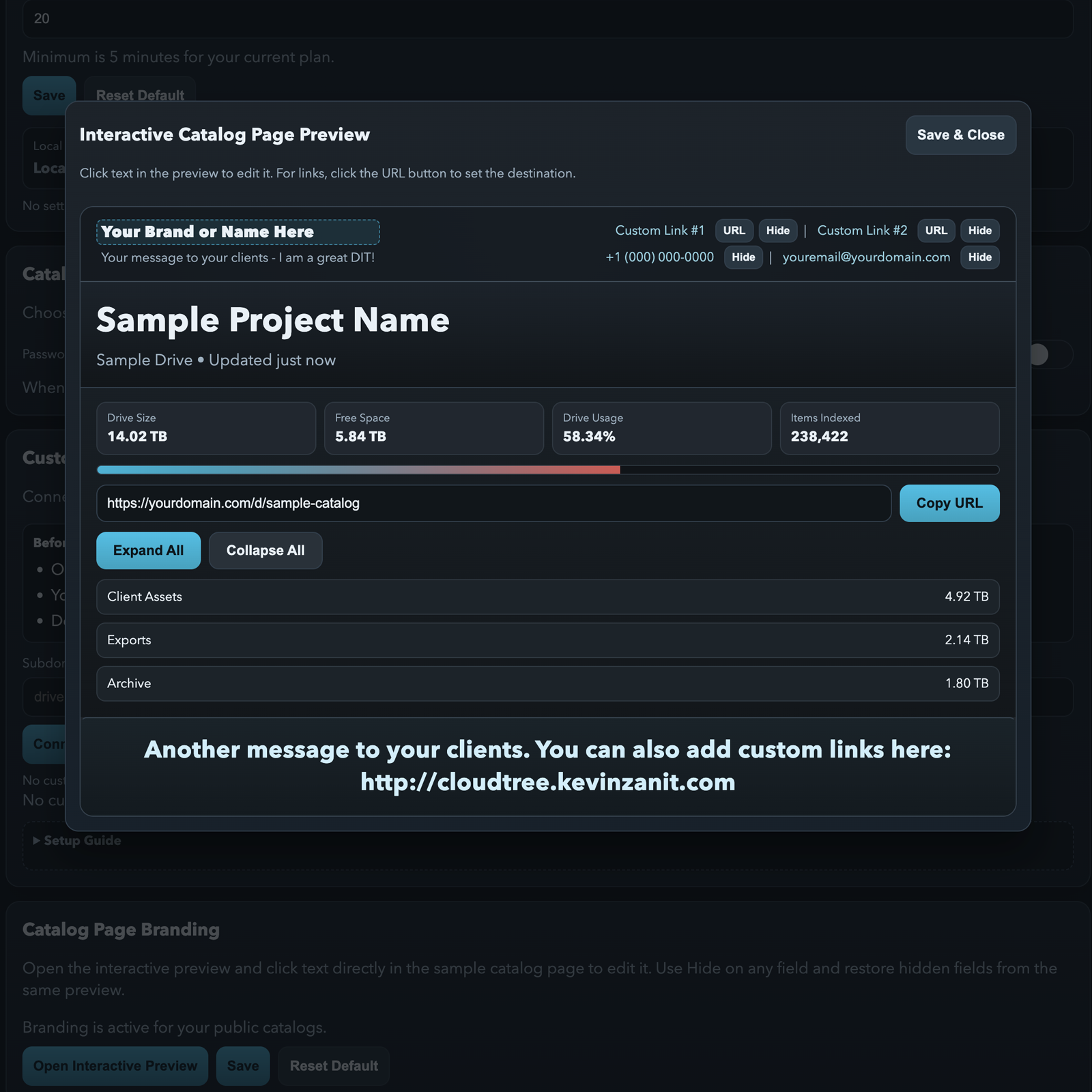
Cloud Tree branding configuration screen with editable brand name, message, and support contact fields.
The live editor mirrors the actual fields in the product, including your name, message, links, contact, and footer copy.
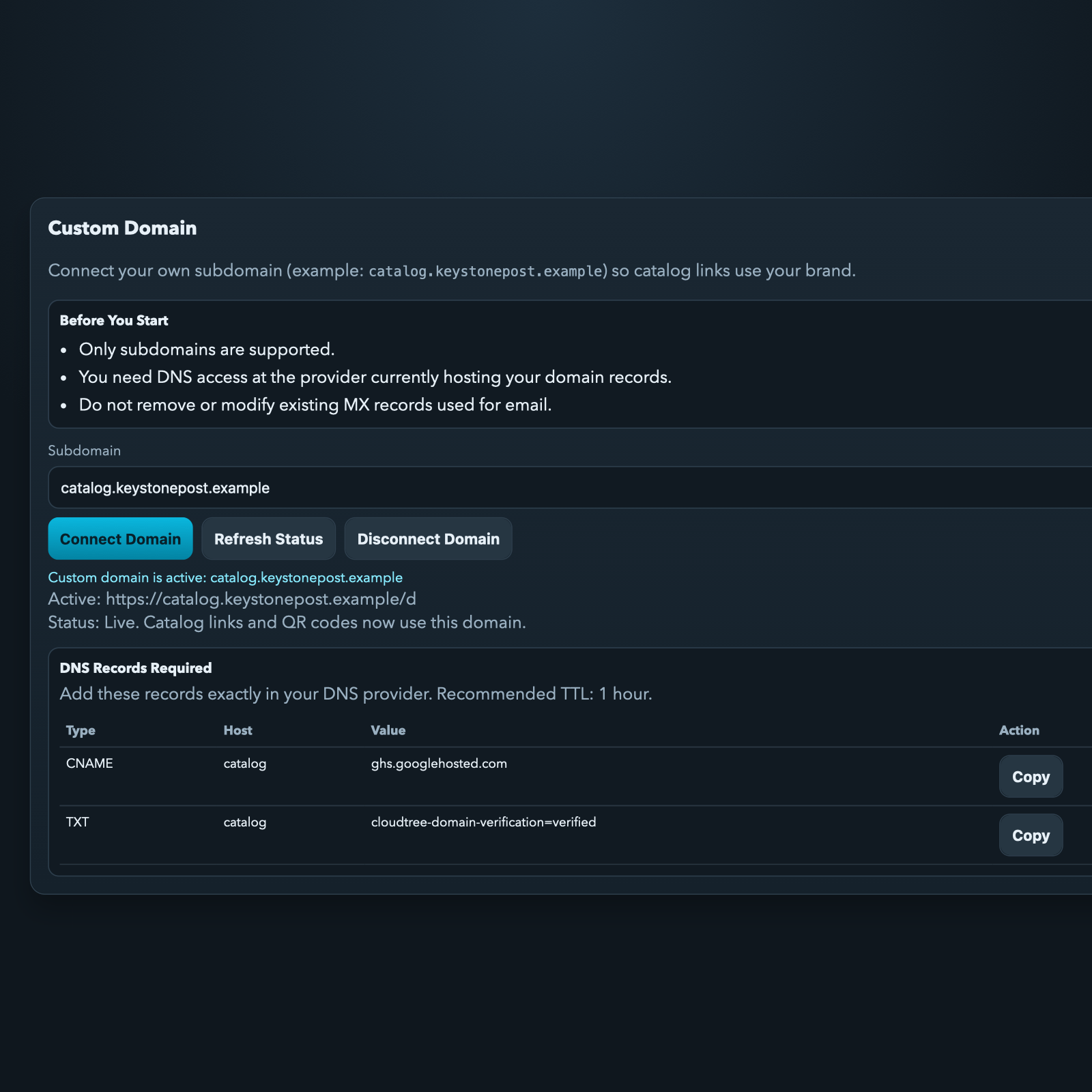
Cloud Tree custom domain screen showing branded catalog URL and DNS records.
Publish under your own domain so shared catalogs feel like part of your company, not a separate tool.

Plans

Start free. Upgrade any time.

Start with a free plan that includes 1 agent, 5 catalogs, password protection, and QR labels. Premium adds more agents, unlimited catalogs, faster scans, branding, and custom domains.

Free

1 agent, 5 catalogs, password protection, and QR code labels.

  • 1 agent
  • Up to 5 catalogs
  • 15 minute scan interval
  • Password protected catalogs
  • QR code drive labels

Cloud Tree

Stop building drive reports manually.

Get started free, then upgrade whenever your workflow needs more.

Get Started Free